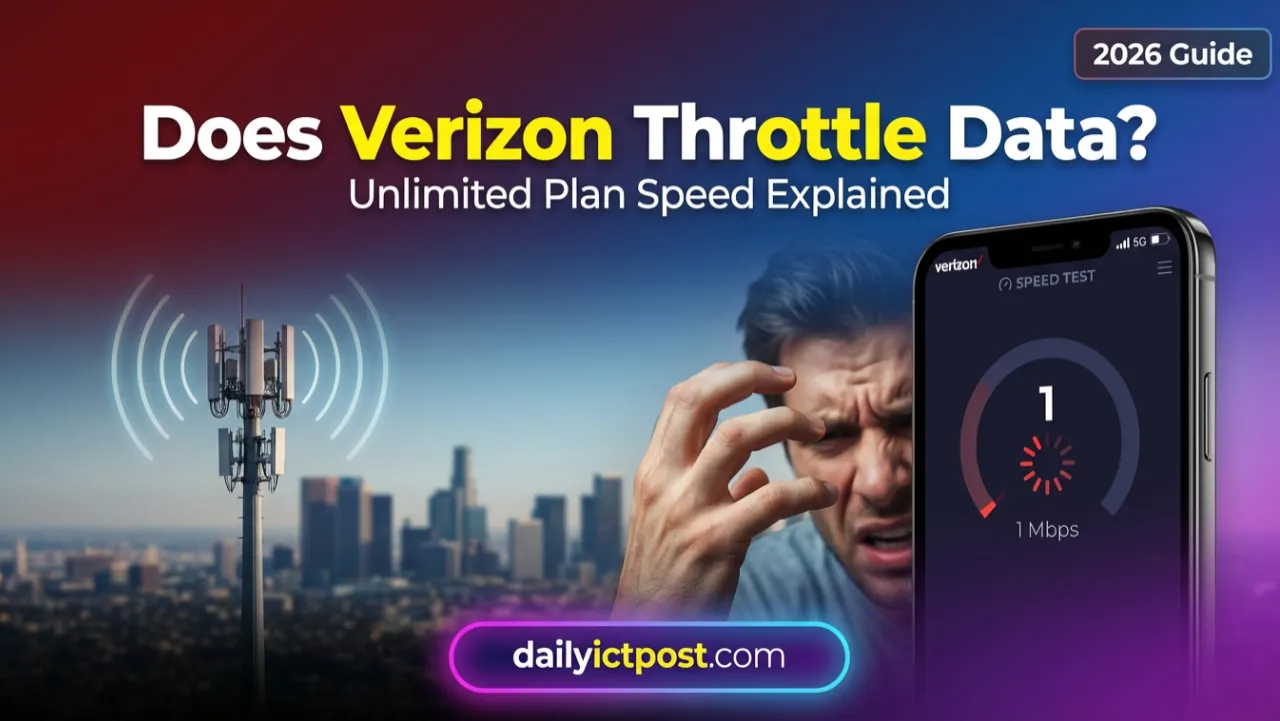
You’re sitting there, trying to watch a video or load a simple webpage, and the loading bar just freezes. You check your signal bars—full strength. You check your data usage—you’ve still got plenty left. So why is your expensive “unlimited” plan suddenly acting like dial-up?
I’ve been there. It’s frustrating. You pay a premium for Verizon because it’s supposed to be the best network, right? But then you hit a wall, and you start wondering: does Verizon throttle data?
The short answer is yes, they do. But it’s not as simple as them just flipping a switch to punish you. It’s actually a complex mix of network policies, the specific plan you’re on, and where you happen to be standing at that exact moment.
In this guide, I’m going to break down exactly how Verizon manages your data speeds. I’ll explain the difference between “throttling” and “deprioritization” (because they are very different beasts), and I’ll share some practical ways you can get your speed back.
Quick Answer:
Yes, Verizon does throttle data in certain cases. Hotspot data is slowed after limits, and unlimited plans may face deprioritization during network congestion, especially on cheaper plans.
Author: Telecom Research Team
Experience: SIM, Mobile Network & Telecom Analysis
Data Source:
Information verified from Verizon official plan details, telecom policy documentation, and real-world network testing.
Does Verizon Throttle Data in 2026 Hidden Speed Limits Explained
Before we get into Verizon specifically, we need to clear up what we’re actually talking about.
Data throttling is when your internet provider intentionally slows down your connection to a specific, lower speed. It’s a hard cap. Think of it like a governor on an engine—no matter how hard you press the gas pedal, the car won’t go past a certain speed.
Hotspot Usage: You’ve used up your high-speed mobile hotspot allowance for the month.
Prepaid Plans: You’ve hit a data cap on a specific prepaid tier.
Once you hit that limit, your speed drops instantly, often to something painful like 600 Kbps (which is barely enough to load an email). It stays that way until your billing cycle resets.
Most people use the word “throttling” for everything, but what you’re likely experiencing on your smartphone is actually deprioritization.
Here is the difference:
1. Data Throttling
What it is: A permanent slow-down until your next bill.
When it happens: After you cross a specific data line (like 30GB of hotspot use).
The feeling: Constant slowness, 24/7, regardless of where you are.
2. Data Deprioritization
What it is: A temporary slow-down during busy times.
When it happens: When the cell tower you are using is congested (too many people, not enough bandwidth).
The feeling: Your data is fast at home, but unusable at a concert or football game.
If you’re on a cheaper unlimited plan, you aren’t being “throttled” in the traditional sense; you’re being pushed to the back of the line.
Does Verizon Throttle Data?
This is the big question. Technically, Verizon’s top-tier “Unlimited” smartphone data is not throttled. You can use 500GB of data on your phone, and they won’t cut you off.
However, if you are on an entry-level plan, you are subject to deprioritization from the moment you sign up.
If you chose the Unlimited Welcome plan to save money, you need to know that your data is always deprioritized.
How it works: In times of traffic, Verizon gives priority to users on “Plus” and “Ultimate” plans. You get whatever bandwidth is left over.
Real-world impact: If you live in a quiet rural area, you might never notice. But if you walk into a busy city center during rush hour, your data might stall completely. This is classic verizon deprioritization unlimited data.
Verizon Unlimited Plus & Ultimate
These plans include what Verizon calls Premium Data.
How it works: Your smartphone data is treated as VIP traffic. Even if the network is busy, your speeds shouldn’t drop significantly.
The exception: This only applies to data used on the phone itself. Your mobile hotspot is still subject to hard limits.
Verizon Hotspot Throttling:
This is where Verizon explicitly does throttle data, and they are very open about it in the fine print. Even if you have the most expensive plan, your mobile hotspot is not truly unlimited.
Here is the breakdown of the current hotspot limits for 2025:
Unlimited Ultimate Plan
Allowance: 60 GB of high-speed hotspot data.
After the limit: Your speed is hard-throttled to 600 Kbps on LTE/5G Nationwide or 3 Mbps on 5G Ultra Wideband.
Unlimited Plus Plan
Allowance: 30 GB of high-speed hotspot data.
After the limit: The same hard throttle kicks in.
Unlimited Welcome Plan
Allowance: None. You have to pay extra for a 100GB hotspot perk.
What Does 600 Kbps Feel Like?
If you rely on verizon hotspot throttling for your home internet or work, hitting this cap is brutal.
Email: Loads, but attachments take forever.
Spotify: Buffers occasionally.
YouTube/Netflix: Unwatchable. You’ll be lucky to get 144p resolution.
Video Calls: Audio might work; video will definitely freeze.
Why Is Verizon Data Slow? 5 Common Issues
If you are asking yourself “why is verizon data slow,” it might not always be intentional throttling. Sometimes, it’s just physics.
1. Network Congestion
This is the most common reason. If you are at a festival, a sporting event, or even just in a dense urban area during lunch hour, thousands of people are trying to use the same tower. If you don’t have Premium Data, you feel this squeeze immediately.
2. 5G Ultra Wideband Limitations
5G is fast, but it’s finicky. High-band 5G (mmWave) can be blocked by a tree, a window, or even your hand. If you are on the edge of a coverage area, your phone might be constantly switching between 5G and LTE. This “handshake” process kills your speed and battery life.
3. Video Throttling (Streaming)
Verizon caps video quality on almost all plans to save bandwidth. They call it “optimization.”
Most plans are capped at 480p (DVD quality) or 720p.
Even if you have a 4K screen on your phone, you might only be getting a standard definition stream unless you change your settings or use a VPN.
4. VPN Overhead
If you are using a VPN to try and bypass throttling, the encryption itself slows down your data. Cheap or free VPNs are often slower than the throttled connection you’re trying to fix.
5. Signal Obstruction
Physical barriers like concrete walls, metal roofs, and energy-efficient glass block cellular signals. You might have full bars outside but one bar inside.
Verizon Throttling Policy on Video Streaming
Did you know Verizon limits how clear your Netflix and YouTube videos look? This is a form of throttling called “Traffic Shaping.”
Unlimited Plus: Videos stream at roughly 4 Mbps (720p HD quality).
4K Streaming: Only available if you are on 5G Ultra Wideband and have enabled “Maximum Video Quality” in your settings.
How to Check If Your Video Is Being Throttled
You can test this easily.
Run a speed test on Speedtest.net. Let’s say you get 100 Mbps.
Immediately run a test on Fast.com (which uses Netflix servers).
If Fast.com shows only 4 Mbps while the other showed 100 Mbps, you are being throttled specifically on video.
Verizon Deprioritization Explained with a Highway Analogy
I find the easiest way to understand verizon deprioritization unlimited data is to think of a highway.
Imagine a 4-lane highway (the Verizon Network).
Premium Plan Users: They have a dedicated Express Lane. They drive 70 mph no matter what.
Budget Plan Users: They are in the General Lanes.
When traffic is light (2 AM), everyone drives 70 mph.
When traffic is heavy (5 PM rush hour), the General Lanes slow down to 10 mph. The Express Lane keeps moving.
Does Verizon slow data? Yes, but strictly based on the “lane” you paid for.
Verizon vs. T-Mobile Throttling: A Quick Comparison
When you look at verizon vs t mobile throttling, the policies are surprisingly different.
Verizon Wireless
Premium Data: Truly unlimited on top tiers.
Deprioritization: Immediate on budget plans. No buffer.
Hotspot: Hard throttle to 600 Kbps / 3 Mbps after cap.
T-Mobile
Premium Data: Truly unlimited on top tiers (Magenta MAX / Go5G Next).
Deprioritization: Usually gives you a buffer (like 50GB or 100GB) even on cheaper plans before slowing you down.
Hotspot: Hard throttle to 600 Kbps (3G speeds) after cap.
The Verdict: T-Mobile generally offers a higher “deprioritization threshold” on their mid-tier plans compared to Verizon’s strict immediate deprioritization on their entry-level plans.
How to Avoid Verizon Throttling: 7 Practical Fixes
If you are tired of the verizon unlimited data slowdown, here is how to avoid verizon throttling effectively.
1. Upgrade Your Plan
I know, nobody wants to pay more. But moving from “Welcome” to “Plus” removes smartphone deprioritization entirely. If you live in a congested city, this is often the only real fix.
2. Lean on Wi-Fi
Offload your heavy downloading and 4K streaming to your home Wi-Fi. Save your premium data allocation for when you are actually mobile.
3. Use High Quality VPN
A VPN encrypts your traffic. Verizon can see how much data you use, but they can’t see what you are using it for.
Helps with: Video throttling (you can watch 4K because Verizon just sees “encrypted data,” not “Netflix”).
Does NOT help with: Hotspot limits or general network congestion.
4. Change Your APN Settings
Some users report that changing APN settings can sometimes bypass verizon hotspot throttling, though this is hit-or-miss on newer 5G phones and can be technical.
5. Force LTE Over 5G
Ironically, verizon slow internet unlimited plan issues often happen because 5G towers are overloaded or the signal is weak. Go into your phone settings and force it to use LTE. You might find a solid LTE signal is faster and more stable than a weak 5G one.
6. Download for Offline
Netflix, Spotify, and YouTube all allow you to download content. Do this while you are on Wi-Fi. Playing downloaded files requires zero data, bypassing all throttling.
7. Monitor Your Usage
Use the MyVerizon app to see how close you are to your hotspot cap. Don’t let it surprise you in the middle of a Zoom call.
Does Verizon Throttle Unlimited Data Plans in 2026?
The network landscape has changed. Verizon has rolled out C-Band (5G UW) across much of the country to relieve congestion.
The Good News: If you see the “5G UW” icon on your phone, you are likely exempt from standard congestion throttling because the Ultra Wideband network has massive capacity.
The Bad News: If you are in a rural area with only 4G LTE, you are much more likely to experience verizon data throttling because those older towers have limited bandwidth.
Verizon Hotspot Speed Limit: Can You Bypass It?
Many digital nomads ask about the verizon hotspot speed limit.
Once you hit your 30GB or 60GB cap, you are throttled. There are “hacks” out there involving TTL (Time to Live) Modification—changing settings on your computer to make hotspot traffic look like phone traffic. While technically possible, it requires technical knowledge and potentially violates your Terms of Service, so proceed with caution.
FAQ: Common Questions About Verizon Speeds
1. Does Verizon slow down unlimited data?
Yes, but primarily on entry-level plans (Welcome Unlimited) during congestion, or on hotspots after the data cap is reached.
2. What is the Verizon throttle limit?
For smartphones on premium plans, there is no limit. For hotspots, the limit is typically 30GB or 60GB depending on the plan.
3. How do I fix slow Verizon data?
Try toggling Airplane mode on/off to reset your tower connection. If that fails, upgrade your plan or disable “Data Saver” mode in your phone settings.
4. Does Verizon throttle YouTube?
Yes. Unless you pay for a premium plan or add a perk, YouTube is often restricted to 480p or 720p resolution.
5. Is Verizon deprioritization bad?
In big cities, yes. It can make your phone unusable during rush hour. In rural areas with few users, you might never notice it.
6. Does a VPN stop Verizon throttling?
It stops video throttling (allows 4K streaming) but does not stop deprioritization caused by network congestion.
7. What happens after I use 100% of my hotspot data?
After the high-speed hotspot allowance is used, Verizon typically reduces speeds to around 600 Kbps on LTE/5G Nationwide and may offer slightly higher speeds on Ultra Wideband, depending on network conditions and plan.
8. Why is my Verizon 5G slower than LTE?
5G signals have shorter range. If you have a weak 5G signal, your phone struggles to maintain it, resulting in slower speeds than a strong LTE signal.
9. Can I pay extra to remove throttling?
You can buy “Data Boosts” or additional hotspot data allocations (e.g., 100GB perk for $10/mo) to regain high speeds.
10. Does Verizon throttle at night?
Generally, no. Network congestion is lowest at night, so even deprioritized users usually get full speeds.
Conclusion: Is Verizon Still Worth It?
So, does Verizon throttle data? Yes, but it depends on your plan, hotspot usage, and network congestion.
However, for power users on Unlimited Plus or Ultimate, Verizon still offers one of the most robust, unthrottled smartphone experiences in the market. The key is understanding which throttling policy applies to you and using the tips above to navigate around them.
Don’t let slow data ruin your day. Check your plan, maybe try a VPN for better streaming, and take control of your internet speed.
dailyictpost.com টিম চাকরির নিয়োগ বিজ্ঞপ্তি, বিভিন্ন সরকারি ও বেসরকারি চাকরির প্রশ্ন সমাধান, সরকারি পদের কার্যক্রম এবং প্রযুক্তি–ভিত্তিক তথ্য সহজ ও বাস্তব ভাষায় উপস্থাপন করে। পাশাপাশি আমরা আইসিটি, মোবাইল, কম্পিউটার, অ্যাপস, অনলাইন ইনকাম, ডিজিটাল টুলস ও সাইবার নিরাপত্তা–সংক্রান্ত বিষয়গুলো এমনভাবে ব্যাখ্যা করি, যেন পাঠক বুঝতে বুঝতেই শিখে ফেলেন।
আমরা বিশ্বাস করি—প্রযুক্তি শেখা কঠিন নয়, যদি সেটি সঠিকভাবে বোঝানো যায়। তাই নতুন সফটওয়্যার ব্যবহার, মোবাইল সেটিংস কিংবা ডিজিটাল মার্কেটিংয়ের মতো জটিল বিষয়গুলো ধাপে ধাপে এমন ভাষায় তুলে ধরি, যেন মনে হয় আপনার পাশেই কেউ বসে সহজ করে বুঝিয়ে দিচ্ছে।
আমাদের লক্ষ্য একটাই—পাঠক যেন নির্ভুল তথ্য পায়, আত্মবিশ্বাসের সঙ্গে শেখে এবং বাস্তব জীবনে সেই জ্ঞান কাজে লাগাতে পারে।




![[পরিপূর্ণ ব্যাখ্যাসহ] দুদক সহকারী পরিচালক পদের প্রশ্ন সমাধান ২০২৬](data:image/svg+xml;base64,PHN2ZyB4bWxucz0iaHR0cDovL3d3dy53My5vcmcvMjAwMC9zdmciIHdpZHRoPSIxNTAiIGhlaWdodD0iODgiIHZpZXdCb3g9IjAgMCAxNTAgODgiPjxyZWN0IHdpZHRoPSIxMDAlIiBoZWlnaHQ9IjEwMCUiIHN0eWxlPSJmaWxsOiNjZmQ0ZGI7ZmlsbC1vcGFjaXR5OiAwLjE7Ii8+PC9zdmc+ "[পরিপূর্ণ ব্যাখ্যাসহ] দুদক সহকারী পরিচালক পদের প্রশ্ন সমাধান ২০২৬")




![[পরিপূর্ণ ব্যাখ্যাসহ] দুদক সহকারী পরিচালক পদের প্রশ্ন সমাধান ২০২৬](https://dailyictpost.com/wp-content/uploads/2026/01/পরিপূর্ণ-ব্যাখ্যাসহ-দুদক-সহকারী-পরিচালক-পদের-প্রশ্ন-সমাধান-২০২৬.webp "[পরিপূর্ণ ব্যাখ্যাসহ] দুদক সহকারী পরিচালক পদের প্রশ্ন সমাধান ২০২৬")