Last updated: May 2026: If you have an EBT card and need free internet access in 2026, this article will meet your desire. Millions of low-income households in the U.S. are searching for reliable ways to stay connected after the end of ACP.
Your SNAP benefits can qualify you for government-backed programs like Lifeline, which may include free mobile data or hotspot access.
In this guide, you’ll learn:
Which programs actually offer free hotspot (not scams)
How to apply step-by-step (official method)
Which providers give the most data + best coverage
Important: Not all “free hotspot” offers are truly free—this guide shows you how to avoid costly mistakes.
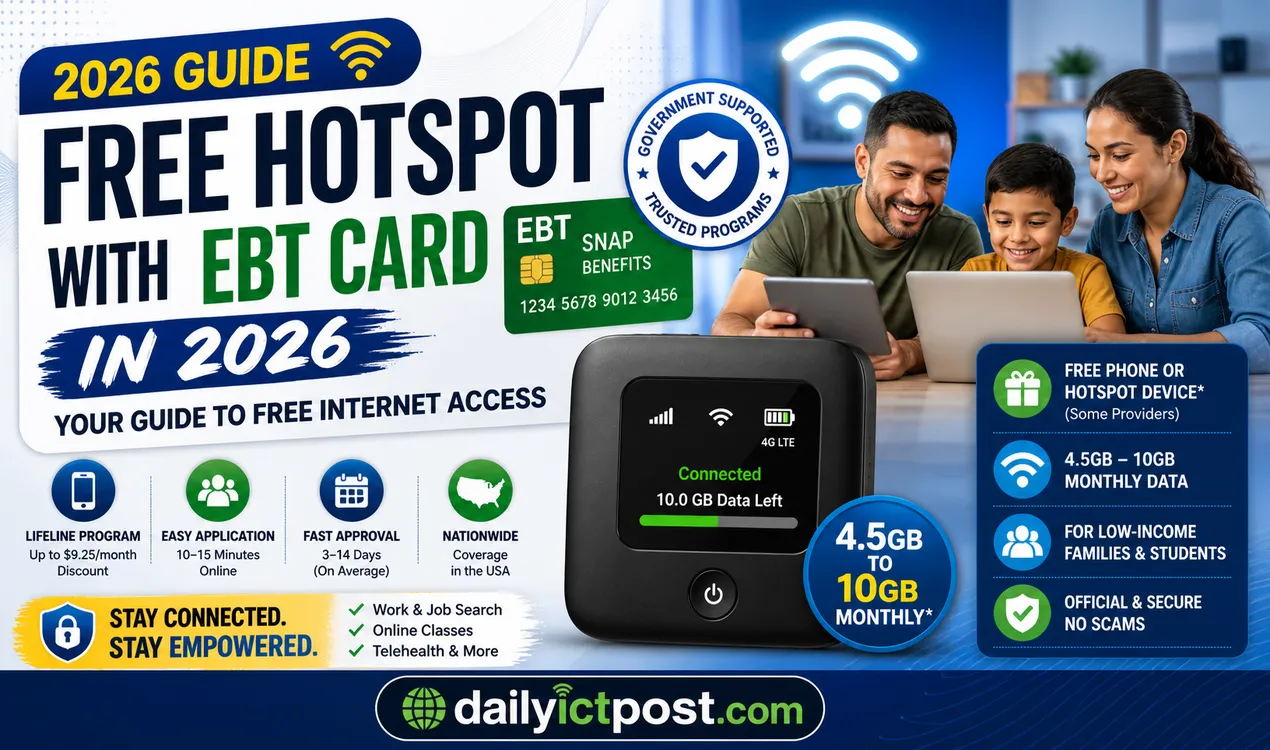
Quick Overview: Free Hotspot with EBT Card 2026
Program: Lifeline (main option)
Discount: Up to $9.25/month
Device: Free phone or hotspot (some providers)
Data: 4.5GB – 10GB monthly (avg)
Extra option: T-Mobile Project 10Million (200GB/year)
Apply time: 10–15 minutes
Approval: 3–14 days
Best for: Low-income families, students, job seekers.
Free Hotspot with EBT Card 2026 |The Complete Guide to Getting Free Internet
What Does Free Hotspot with EBT Card Actually Mean in 2026?
The phrase free hotspot with EBT card can be misleading if not explained properly. It does not always mean unlimited free internet with a brand-new device.
In most cases, your SNAP eligibility qualifies you for the Lifeline discount. Providers may offer:
A free or low-cost phone with hotspot capability
A dedicated hotspot device (in some cases)
Monthly data that can be shared with other devices
You can connect your laptop, tablet, or other devices using that data. Offers vary by provider and state, but your EBT card or SNAP approval is usually enough to get started.
Who Qualifies for Free Hotspot with EBT Card 2026?
If you receive SNAP benefits, you generally qualify for Lifeline automatically. That means no extra income proof is needed in most cases.
Other qualifying programs include:
Medicaid
SSI
Federal Public Housing Assistance
Income at or below 135% of federal poverty guidelines
For families with school children, T-Mobile Project 10Million is another strong option. It can provide a free hotspot device with 200GB of annual data.
Keep in mind: only one Lifeline benefit is allowed per household.
– Not all plans include unlimited hotspot – Data limits apply in most cases – Devices may be refurbished or limited – Offers vary by provider and location
How Much Data Can You Expect with a Free Hotspot?
In real life, most plans give you limited data, not unlimited internet. Most Lifeline plans offer:
Around 4.5GB to 10GB monthly
Some higher or unlimited plans with limits on hotspot use
Project 10Million offers 200GB yearly, which is suitable for schoolwork and daily use.
Can You Use Your Phone as a Hotspot with Lifeline Service?
Yes, many Lifeline plans allow hotspot use through your phone.
However:
Some plans limit hotspot data
Others include it within total data usage
Always check your plan details before choosing a provider.
Common Challenges People Face and How to Avoid Them
Common issues include:
Choosing a provider with poor coverage
Applying for multiple benefits in one household
Missing annual recertification
To avoid problems:
Verify eligibility first
Read provider terms carefully
Keep track of renewal deadlines
Tips to Maximize Your Free Hotspot Experience
Place your device near a window for better signal
Limit connected devices
Monitor data usage through apps
Use public Wi-Fi when available
These small steps can significantly improve performance.
Check your state’s official resources along with national Lifeline information.
What to Do If Your Application Gets Denied
If denied:
Review your documents
Fix missing or incorrect details
Reapply or appeal
Ensure your EBT details match your application exactly.
Safety and Privacy Tips When Applying
Use only official websites
Never pay for Lifeline applications
Protect personal information
Legitimate programs do not charge upfront fees.
Real-World Experiences from EBT Families
Many families use these programs for:
Schoolwork
Job searches
Telehealth
Reliable internet access often reduces stress and improves daily life.
Comparing Hotspot Options: Dedicated Device vs Phone Tethering
Dedicated hotspot devices:
Better battery life
More connections
Phone tethering:
Simpler
More convenient
Choose based on your household needs.
Future of Free Hotspot Programs After 2026
Lifeline is expected to continue, though benefits may change.
Programs like Project 10Million are ongoing, and new partnerships may appear. Staying updated yearly is important.
Best Free vs Paid Hotspot Plans Comparison (2026)
Plan Type
Cost
Data
Best For
Lifeline Free
$0
5–10GB
Low-income users
Prepaid Hotspot
$30–$60
50GB+
Heavy users
Home Internet
$50–$100
Unlimited
Families
Is Free Hotspot Enough for Daily Use?
Free public Wi-Fi might save you for quick tasks, but is free hotspot enough for daily use? For most Americans, the answer is no. Streaming, video calls, and gaming demand consistent speed that free networks rarely deliver. You also face security risks and frustrating dropouts.
A free hotspot works like a spare tire—fine for emergencies, not for the long haul. Upgrading to a dedicated home internet plan gives you reliable bandwidth, privacy, and no daily limits. Consider your family’s actual usage before relying solely on coffee shop Wi-Fi.
Your digital life deserves more than guesswork. Explore affordable internet plans tailored to your routine. Don’t let a weak signal slow you down.
Lifeline vs Project 10Million (2026)
Feature
Lifeline
Project 10Million
Monthly cost
$0–$10
$0
Device
Phone (sometimes hotspot)
Hotspot device
Data
4.5–10GB/month
200GB/year
Best for
General users
Students
Government Free Internet Program USA 2026
Government free internet program USA 2026 continues to help low-income families stay connected through the Lifeline program.
Eligible households can get up to $9.25 monthly discount on broadband service, with higher amounts on tribal lands.
If you receive SNAP, Medicaid, SSI, or have income below 135% of the poverty line, you likely qualify.
Many providers like Xfinity, Spectrum, and AT&T combine the discount with special plans for $0 internet.
Apply quickly online at lifelinesupport.org or directly with participating companies.
This support remains active in 2026 for work, education, and family needs.
How to Check Your Current Eligibility Quickly
Use the Lifeline eligibility tool online.
It takes only a few minutes and helps confirm your status before applying.
You can verify eligibility directly through official government resources like USA.gov to avoid third-party misinformation.
Top Mistakes to Avoid When Applying
Applying twice: Only one Lifeline benefit is allowed per household. Multiple applications can delay or block your approval.
Wrong documents: Always match names, addresses, and details exactly with your official paperwork to prevent rejection.
Fake providers: Stick to verified companies. Scammers create lookalike sites or door-to-door offers promising instant free phones without proper checks.
Thinking hotspot is unlimited
Choosing providers with poor coverage
Not checking data limits
Applying through fake websites
How to Avoid Free Hotspot Scams
Watch out for offers that seem too good or ask for upfront fees, personal banking details, or Social Security numbers right away. Always apply through the official lifelinesupport.org site or trusted carriers like Assurance Wireless, SafeLink, or TruConnect. Legitimate providers never pressure you or charge for the Lifeline discount itself. Verify any company using the FCC or USAC tools before sharing information. This simple caution protects your identity and ensures you receive real help.
Warning Signs of Fake Free Hotspot Offers
Asking for upfront fees
Promising unlimited free internet
No official Lifeline verification
Pressure to apply immediately
Always verify through the official Lifeline website.
State-by-State Availability (Quick Insight)
Lifeline works nationwide, but exact plans and extra state supplements vary. Use the official Companies Near Me tool on lifelinesupport.org and enter your ZIP code for local options. Some states like California offer enhanced support, while others rely fully on federal discounts. Availability is strong in both urban and rural areas through major carriers and smaller providers.
Can You Combine Lifeline with Other Benefits?
Yes — you can often pair Lifeline with state assistance programs, Veterans benefits, or provider specials. However, you cannot receive more than one Lifeline discount per household.
Since the Affordable Connectivity Program ended, Lifeline stands as the main federal option. Check with your chosen provider to stack discounts where allowed for maximum savings on internet service.
Discover more about government free internet program USA 2026 and apply now through official channels.
Setting Up and Using Your Hotspot Device
After receiving your device:
Insert SIM
Charge fully
Follow activation steps
Test connection and update settings for best performance.
Troubleshooting Common Hotspot Issues
If you face issues:
Restart the device
Reduce connected devices
Move to a better signal area
Contact support if problems continue.
Who Should Use Free Hotspot with EBT?
– Students needing online classes – Job seekers applying online – Families without home internet – Seniors using telehealth
Not ideal for heavy streaming or gaming users.
FAQ
Can I get a completely free hotspot device with my EBT card in 2026?
Some providers offer free or low-cost devices depending on eligibility.
Does every state offer the same benefits?
No, benefits vary by state and provider.
Is Project 10Million better than Lifeline?
For families with students, it often provides more data and a dedicated device.
How long does approval take?
Usually a few days to two weeks.
Can I use hotspot for streaming and video calls?
Yes, but monitor your data usage.
What happens if I move states?
You may need to reapply or switch providers.
Are there monthly fees?
Many plans are free or very low-cost depending on the provider.
Editorial Disclaimer:
This article is for informational purposes only and is not affiliated with any government agency or telecom provider. Program availability, device offers, and data limits vary by state and provider.
Always confirm details through official sources such as FCC, USA.gov, or LifelineSupport.org before applying.
Conclusion:
Here’s the simple truth—most ‘free hotspot’ offers aren’t exactly what people expect. Always verify the latest rules and availability before applying.
Ready to apply for free hotspot with EBT card 2026? Start with Lifeline or a trusted provider and choose the option that fits your household best.
Take 2 minutes now and check your eligibility on lifelinesupport.org before continuing.
The dailyictpost.com team presents job recruitment notices, various government and private job question solutions, government post activities and technology-based information in simple and practical language. Along with this, we explain ICT, mobile, computer, apps, online income, digital tools, government services, national elections and cyber security-related issues in such a way that the reader can understand and learn.
We believe that learning technology is not difficult, if it is explained correctly. Therefore, we present complex topics like using new software, mobile settings or digital marketing step by step in such a language that it feels like someone is sitting next to you and explaining it in a simple way.
Our goal is only one - that the reader gets accurate information, learns with confidence and can use that knowledge in real life.




![[পরিপূর্ণ ব্যাখ্যাসহ] দুদক সহকারী পরিচালক পদের প্রশ্ন সমাধান ২০২৬](https://dailyictpost.com/wp-content/uploads/2026/01/পরিপূর্ণ-ব্যাখ্যাসহ-দুদক-সহকারী-পরিচালক-পদের-প্রশ্ন-সমাধান-২০২৬.webp "[পরিপূর্ণ ব্যাখ্যাসহ] দুদক সহকারী পরিচালক পদের প্রশ্ন সমাধান ২০২৬")