If you’re on SNAP and wondering whether you can get a free phone or tablet in 2026, the short answer is — yes, you most likely can. And millions of Americans are already using this benefit without realizing they qualified all along.
This guide walks you through every real, working path to claim a SNAP benefits free device in 2026. No fluff, no vague advice — just a clear picture of what’s available, who qualifies, and exactly how to apply.
For many families, a phone or tablet is no longer optional. It’s how parents apply for jobs, children complete homework, seniors access telehealth appointments, and workers stay connected to employers. That’s why Lifeline-supported device programs matter more than ever in 2026.
SNAP Device Program 2026: Quick Summary
| SNAP & Lifeline Benefits Overview | |
| Does SNAP directly give devices? | ❌ No |
| Main qualifying program | Lifeline |
| Free phones available? | ✅ Yes |
| Tablets available? | Sometimes |
| Monthly service included? | Usually |
| Approval speed | 3–10 business days |
| Official government site | lifelinesupport.org |
What “SNAP Benefits Free Device 2026” Actually Means
Here’s something that confuses a lot of people. SNAP — the Supplemental Nutrition Assistance Program — doesn’t hand out phones or tablets. Your EBT card is for groceries, not gadgets.
But that’s not the whole story.
Your SNAP enrollment qualifies you for separate federal programs that do provide free or heavily discounted devices and internet service. Think of SNAP as the key that opens the door. Once you’re in, you can access tech assistance programs that would otherwise be out of reach.
The main program behind most free government devices for SNAP users is the Lifeline Program, which the Federal Communications Commission (FCC) regulates. Certain Lifeline providers bundle smartphones or tablets with your service enrollment. That’s the real mechanic behind a free device in 2026 — SNAP gets you in the door, and Lifeline gets you the device.
Bottom line: SNAP doesn’t give you a device directly. It qualifies you for Lifeline, and Lifeline providers offer the devices.
cheap internet for SNAP households: Free Internet with EBT USA 2026: Get Connected Fast (No Cost)
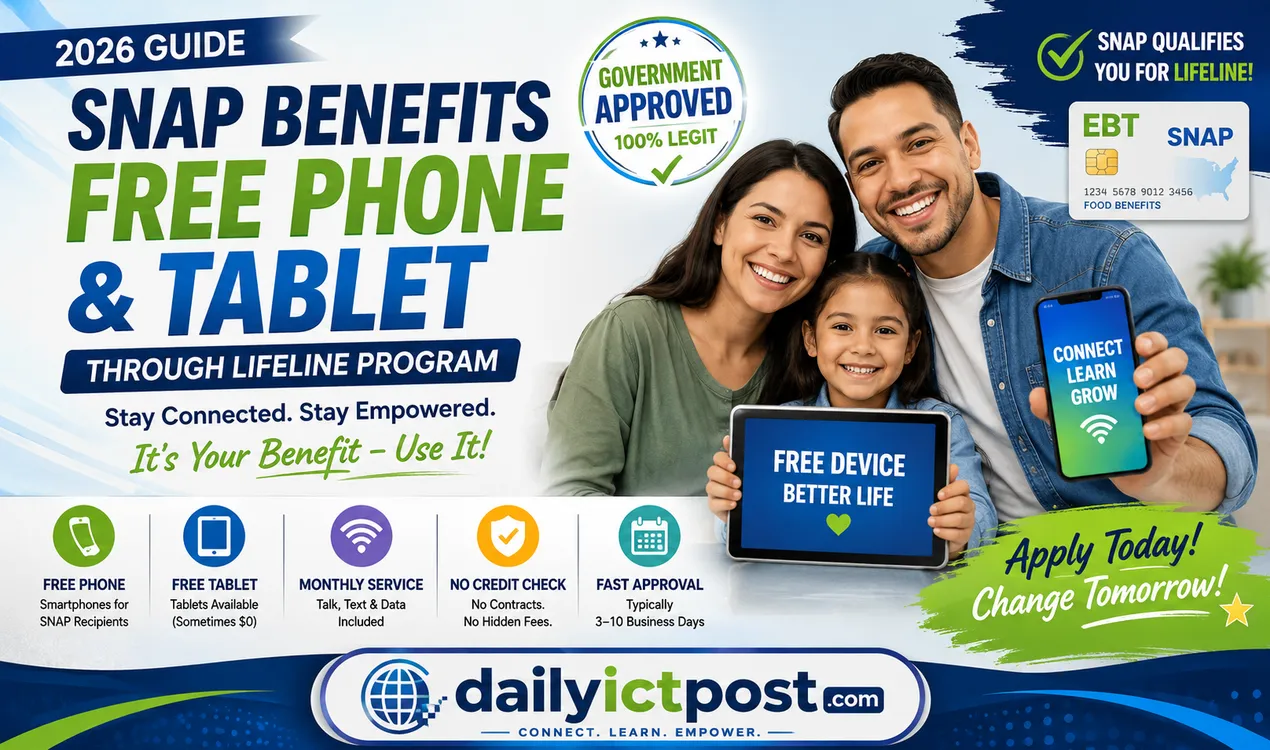
SNAP Benefits Free Device 2026: Quick Answer
Yes — SNAP recipients can qualify for free or discounted phones, tablets, and internet service through the federal Lifeline Program in 2026.
What You Can Get
– Free smartphone
– Discounted or free tablet
– Monthly talk/text/data plan
– Low-cost internet access
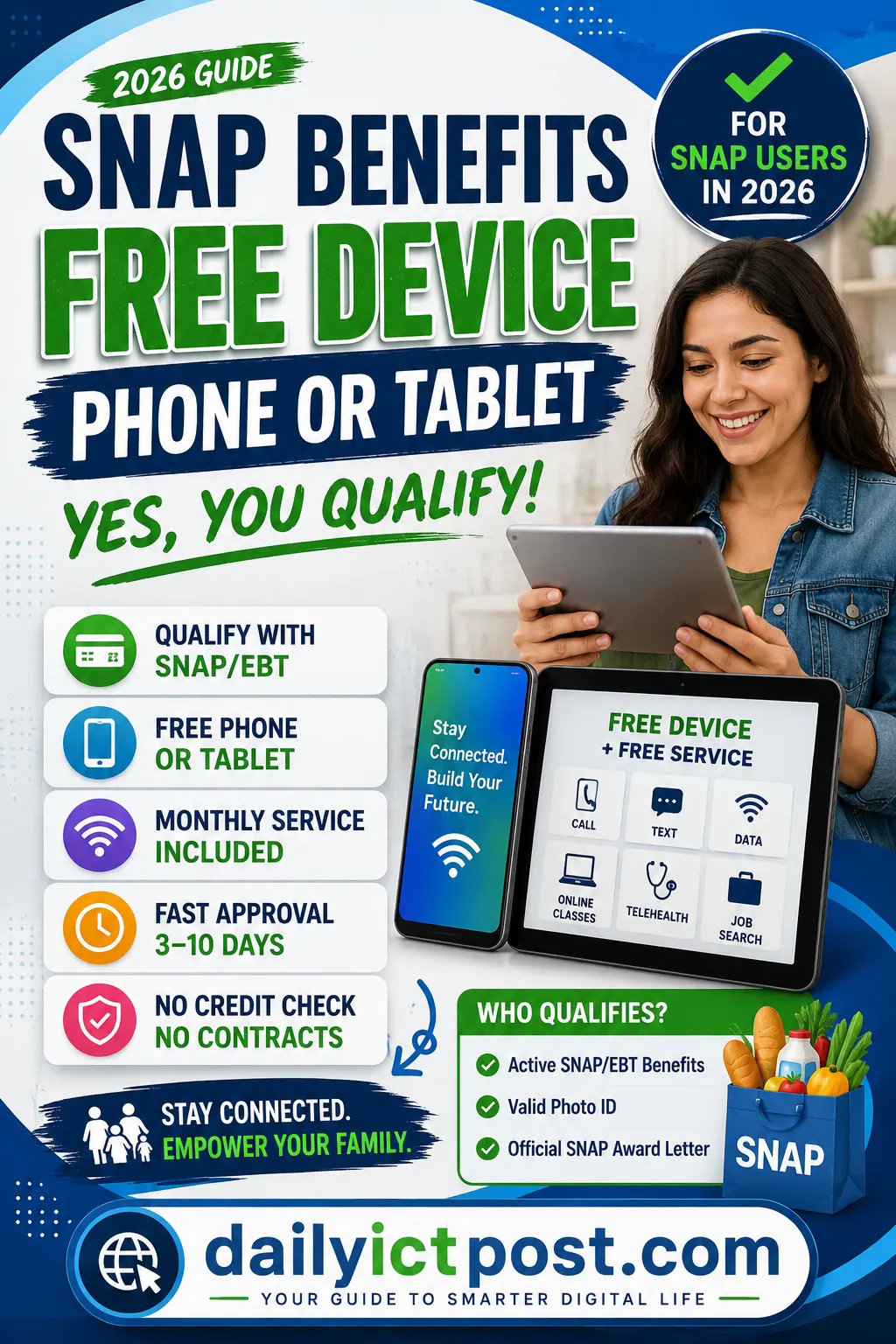
Main Requirements
– Active SNAP/EBT benefits
– Valid photo ID
– Official SNAP award letter
Typical Approval Time
3–10 business days
Official Government Site
Best Unlimited Data Lifeline Plans in 2026
Looking for the best unlimited data Lifeline plans in 2026? You need more than talk and text. Top providers now give you hotspot data for your laptop. They also include mobile internet that works even during busy hours. Check their coverage maps first. Rural areas can be tricky. A good plan lets you watch streaming movies without buffering. It also helps you make telehealth video calls. Your kids can join online classes without lag. Don’t settle for cheap discounts that cut corners. Pick a plan that keeps your whole family connected.
These government plans have changed. In 2026, unlimited data usually means 25–30GB of high-speed use. After that, speeds drop. But that’s fine for most people. You can still browse, email, and use maps. The real win? Included hotspot turns your phone into a WiFi hub. So mobile internet becomes your home backup. Rural users should verify coverage with the FCC map. One provider may work great. Another may fail badly.
The right Lifeline plan changes your day. Watch smooth streaming on the bus. Take a telehealth visit with no frozen screen. Let your kids finish online classes without yelling at a loading wheel. That’s the standard you deserve. Find the best unlimited data Lifeline plans in 2026 by comparing benefits. Read the fine print on fair usage. Then pick a plan that gives you freedom.
How the Lifeline Program Powers Free Devices for SNAP Recipients
The Lifeline Program has been around since 1985. The FCC built it to make sure low-income Americans could stay connected — first through phone service, and later through internet access and devices.
Here’s how it works right now in 2026:
- Monthly discount: You get up to $9.25 off your phone or internet bill every month.
- Tribal lands bonus: If you live on qualifying Tribal lands, that discount goes up to $34.25 per month.
- Device bundles: Many approved providers include a free or low-cost phone or tablet when you sign up.
- One benefit per household: Only one Lifeline benefit is allowed per address, no matter how many people in the home qualify.
When you enroll through an approved provider, the government subsidy covers your monthly service. The device — whether it’s a tablet or smartphone — is what the provider offers to bring you on board. That combination is what makes a $0 government tablet for low-income families in 2026 possible.
To be clear: the service discount comes from the government; the device comes from the provider. Both together is what makes this work.
Can SNAP Recipients Get Home Internet Discounts?
Yes, if you’re on SNAP, you likely qualify for home internet discounts. Major internet providers like Xfinity, Spectrum, and AT&T offer low-income internet plans starting around 10–20/month. These aren’t just basic connections; you get real broadband speeds for job applications, telehealth, and schoolwork.
Many plans include free Wi-Fi assistance (like a modem or router). Don’t overpay for internet. Your SNAP card is your ticket to stay connected. Check the provider’s website today—search “Best Device for Job Search and Online Classes” to see what gadgets work best with these discounted plans.
Best Device for Job Search and Online Classes
If you’re hunting for work or taking online courses, you need reliable gear. A refurbished laptop (from Dell or Lenovo) gives you the most bang for your buck. For tight budgets, a Chromebook handles email, Zoom, and job portals smoothly. Don’t use a phone alone—it drains focus.
Pair your device with discounted broadband from internet providers like Comcast’s Internet Essentials. You’ll fill out applications faster and join classes without glitching. Think of it this way: your device is your shovel, and low-income internet plans are the ground you dig. Get both right, and you’ll succeed.
SNAP Free Tablet Program 2026: Who Qualifies?
The SNAP Free Tablet Program 2026 runs through Lifeline’s eligibility rules. There are two ways to qualify.
Qualifying Through a Government Program
If anyone in your household is enrolled in one of these programs, you automatically qualify for Lifeline:
| Government Program | Qualifies for Lifeline? |
|---|---|
| SNAP (Food Stamps / EBT) | Yes |
| Medicaid | Yes |
| Supplemental Security Income (SSI) | Yes |
| Federal Public Housing Assistance (Section 8) | Yes |
| Veterans Pension and Survivors Benefit | Yes |
| Bureau of Indian Affairs General Assistance | Yes |
| Tribal TANF | Yes |
| Federal Pell Grant (current year) | Yes |
SNAP is one of the easiest qualifiers to document. If you’re already getting food stamp benefits through an EBT card, you’re most of the way there.
Qualifying Through Income
No qualifying program? You can still get a free government device if your total household income is at or below 135% of the Federal Poverty Guidelines.
Here’s a quick reference for 2026:
| Household Size | Max Annual Income (135% FPL) |
|---|---|
| 1 person | ~$20,331 |
| 2 people | ~$27,594 |
| 3 people | ~$34,857 |
| 4 people | ~$42,120 |
| Each additional person | + ~$7,263 |
Alaska and Hawaii have slightly higher thresholds. Always double-check at lifelinesupport.org for the exact numbers in your state.
SNAP Benefits Free Phone 2026: What Phones Can You Get?
The SNAP Benefits Free Phone 2026 options are more varied than most people expect. Approved Lifeline providers offer a solid range of smartphones to qualifying applicants — not just basic flip phones.
Common phones available through Lifeline providers include:
- Android smartphones from Motorola, Alcatel, and ZTE — most running Android 10 or newer
- 4G/LTE phones with cameras, app stores, and mobile hotspot capability
- 5G-capable devices through select providers on larger networks
The exact model you receive depends on your state, the provider you choose, and what’s in stock when you apply. Inventory moves fast, especially during enrollment pushes.
Providers like Assurance Wireless, Q Link Wireless, SafeLink Wireless, AirTalk Wireless, TAG Mobile, and Cintex Wireless are all active in 2026. Each offers slightly different devices, so it’s worth comparing a few before you commit.
One practical tip: apply early in the week. A SNAP applicant who submits on Monday morning can often have a phone in hand by the following Wednesday. Weekend applications tend to sit until Monday anyway.
Provider availability, approval timelines, and device inventory change frequently. Readers should compare multiple FCC-authorized providers before enrolling.
Best federal benefit programs: May $500 Monthly Stimulus Check 2026 | Best Official Claims, Eligibility & Real Payment Updates
Best Free Tablet Programs for SNAP Recipients in 2026
Prefer a tablet over a phone? The best free tablet programs for SNAP recipients in 2026 all run through Lifeline-approved carriers. Here’s what’s currently on offer from the top providers:
| Provider | Tablet Model | Co-Pay | Data Plan |
|---|---|---|---|
| AirTalk Wireless | Samsung Galaxy Tab A8 | $0 (varies) | Unlimited talk/text + 4.5GB |
| TAG Mobile | Lenovo Tab M10 | $0–$25 | 5GB high-speed data |
| StandUp Wireless | Amazon Fire HD 8 | $10–$30 | Unlimited talk/text + 3GB |
| Access Wireless | Onn Pro 10.1″ | $0–$50 | 4GB, video-optimized |
| Gen Mobile | Nokia T10 | $20–$40 | 2GB + music streaming |
Stock changes constantly, and what’s available in one ZIP code may not exist in another. If you spot a model you want, don’t wait — apply right away.
Worth knowing: if there’s no tablet available in your area right now, you can still enroll in the Lifeline service plan and check back for device promotions later. The monthly discount is guaranteed once you qualify. The free device is the provider’s bonus on top of that.
New SNAP Device Assistance Program 2026: What Changed?
The new SNAP device assistance program 2026 landscape shifted significantly after the Affordable Connectivity Program (ACP) ended in May 2024. ACP used to offer a separate $30/month internet discount plus a one-time $100 device credit. That program is closed and no longer accepting applications.
What that means for you today:
- Lifeline is the main federal program for free phones and tablets
- The $9.25/month Lifeline discount is still fully funded and running
- Several providers stepped up their device bundles to compensate for ACP ending
- States like California offer extra supplements on top of federal Lifeline
Lifeline is holding strong in 2026. Because providers compete for Lifeline customers, you’re seeing better device offers now than in some earlier years.
Another positive shift: SNAP-verified applicants often get automated approval now, cutting the wait down to 3 to 5 business days in many cases.
How to Get a Free Device With SNAP Benefits: Step-by-Step
Here’s the exact process to claim your SNAP benefits free device in 2026. Follow each step and don’t skip ahead.
Step 1 — Check Your Eligibility
Go to lifelinesupport.org and run the National Verifier check. It takes about two minutes and tells you right away if you qualify.
Oregon and Texas residents: you’ll apply through your state’s own Lifeline system rather than the national platform.
Step 2 — Gather Your Documents
Get these ready before you start your provider application:
- Government-issued photo ID — driver’s license, state ID, or passport
- Last 4 digits of your Social Security Number or your Tribal ID
- Official SNAP award letter or benefit notice — dated within the past 12 months. Your EBT card alone is not enough.
- Proof of address — a utility bill, lease agreement, or similar document
The thing that delays more applications than anything else: the name on your ID doesn’t match the name on your SNAP letter. Double-check this before you upload anything.
Step 3 — Get Your Application ID
Finish the National Verifier process and you’ll receive a Lifeline Application ID. You’ll need this when you pick a provider.
Step 4 — Choose a Provider
Visit provider sites like AirTalk Wireless, TAG Mobile, Q Link Wireless, Assurance Wireless, or SafeLink Wireless. Enter your ZIP code to see which plans and devices are available near you.
When comparing, look at:
- Device models — phone or tablet, and which specific model
- Monthly data limits
- Any co-pay required for the tablet option
Step 5 — Complete the Application
Fill out the provider’s form and upload clear photos of all your documents. Shoot them in good natural light and don’t crop any text out of the frame. Blurry or dark photos are among the most common reasons for delays.
Step 6 — Track and Receive
Most SNAP-verified applicants are approved within 3 to 10 business days. After that, device delivery takes another 7 to 14 business days depending on your state and provider.
Use your application ID on the provider’s website to track your order.
What Lifeline Does NOT Cover
Lifeline does not guarantee premium devices, unlimited high-speed data, or free home broadband in every area. Device offers depend on provider inventory and may change without notice.
Applicants should also know that some providers require small co-pays for certain tablets or upgraded models.
2026 EBT internet assistance guide: Free EBT Tablet Application 2026 | How Low-Income Families Can Claim a New Device Fast
Confirmed Free Internet and Tablet for SNAP: Providers You Can Trust in 2026
Not every site advertising a “free government tablet” is legitimate. Knowing which providers are actually FCC-authorized is critical when it comes to confirmed free internet and tablet for SNAP recipients.
Verified Lifeline Providers
- Assurance Wireless — runs on T-Mobile’s network, solid data packages
- SafeLink Wireless — part of Tracfone, well-established with a bring-your-own-device option
- Q Link Wireless — fast approvals, good nationwide coverage
- AirTalk Wireless — frequently bundles tablets with SNAP-verified enrollment
- TAG Mobile — often offers Lenovo tablets and Android phones
- Cintex Wireless — popular for quick approval and reliable devices
- StandUp Wireless — a strong pick in the Southeast
- Access Wireless — wide state availability with competitive data plans
How to Spot a Scam
Some websites fake the look of government programs to collect personal information. Watch for these warning signs:
- Asking for your full Social Security Number before you’re approved
- Any request for upfront payment
- No mention of FCC or USAC authorization
- Promises of “guaranteed free iPhones” — Lifeline doesn’t guarantee specific brand-name devices
- No verifiable company address or customer service contact
Always go through official provider websites or apply directly at lifelinesupport.org.
$0 Government Tablets in 2026: What to Expect
The phrase “$0 government tablet for low-income families 2026” is accurate — but it comes with some honest context worth understanding before you apply.
What’s genuinely free:
- Monthly Lifeline service discount, fully covered by the federal subsidy
- The application and enrollment process
- Shipping, with most providers
What might cost a small amount:
- Some tablet models carry a one-time co-pay between $10 and $25
- Newer or higher-end devices can have co-pays up to $50
In many cases, SNAP recipients end up paying little or nothing upfront. But availability changes constantly, and some providers charge a small tablet co-pay depending on inventory and state rules. A Samsung Galaxy Tab A8 sells for over $200 at retail. Getting one for $0 to $25 through a Lifeline provider is a real deal — even accounting for the co-pay.
What you get depends on your state and ZIP code, since device availability is inventory-based and shifts regularly.
Hidden Free Device Programs for SNAP Users You Might Not Know About
Lifeline isn’t your only option. Several hidden free device programs for SNAP users exist at the nonprofit and state level that most people never come across.
PCs for People
This nonprofit offers refurbished laptops and desktop computers at very low or zero cost to households on SNAP, Medicaid, or meeting income thresholds. They often pair the device with affordable internet service as well.
Visit: pcsforpeople.org
Human-I-T
Human-I-T takes donated technology, refurbishes it, and distributes it to low-income households. SNAP eligibility strengthens your application. They hand out tablets, laptops, and smartphones based on available inventory.
Visit: human-i-t.org
ConnectHomeUSA
This HUD initiative brings affordable internet, digital devices, and basic digital literacy training to people in HUD-assisted housing — including public housing and Section 8 participants. If you’re in subsidized housing, this is worth a look.
State-Level Programs
Many states run digital inclusion programs that stack on top of federal Lifeline. California’s state supplement adds up to $19/month on top of the federal discount, for example. Check your state’s human services department website to see what’s available locally.
Libraries and Workforce Centers
Public libraries, community colleges, and American Job Centers in many cities partner with digital access programs. Some host device giveaway events for low-income residents. Ask at your local branch — these programs rarely get advertised widely.
Pros and Cons of the SNAP Free Tablet Program
Going into this with clear expectations saves frustration. Here’s what the SNAP Free Tablet Program 2026 actually delivers.
Pros
- Free or very low cost for qualifying SNAP recipients
- Faster approval for SNAP-verified applicants — often 3 to 5 days
- No credit check required at any point
- Includes monthly service, not just the device
- Backed by the FCC and regulated at the federal level
- Multiple providers competing means you have real choices
- Useful for education, telehealth visits, job searching, and everyday tasks
Cons
- One Lifeline benefit per household — you can’t layer multiple enrollments
- Device availability varies by location and changes with inventory
- Tablets aren’t always in stock — phones are more consistently available
- Some tablet models come with a small one-time co-pay
- Monthly data caps apply — typically 3 to 10GB of high-speed data
- Your EBT card alone isn’t proof of SNAP enrollment — you need the official award letter
Official SNAP Benefits Tech Help 2026: Resources to Bookmark
When you’re ready to take the next step, these are the verified resources you’ll need:
| Resource | Website | What It’s For |
|---|---|---|
| Lifeline National Verifier | lifelinesupport.org | Confirm eligibility and apply |
| FCC Lifeline Program | fcc.gov/lifeline | Official program rules and details |
| USAC (Lifeline Administrator) | usac.org | Manages applications and appeals |
| USDA SNAP Program | fns.usda.gov/snap | SNAP benefit information |
| Medicaid Information | medicaid.gov | Medicaid eligibility by state |
Over the past several years, we’ve reviewed dozens of Lifeline providers, state assistance portals, and public benefit programs to track how SNAP-based device programs actually work for real applicants.
Quick Comparison of Lifeline Providers in 2026
| Provider | Best For | Tablet Option | Approval Speed |
|---|---|---|---|
| AirTalk Wireless | Best overall devices | Yes | Fast |
| SafeLink Wireless | Nationwide coverage | Limited | Medium |
| Q Link Wireless | Easy approval | Sometimes | Fast |
| TAG Mobile | Tablet bundles | Yes | Medium |
Real People Who Got Free Devices Through SNAP Benefits
These outcomes happen regularly when people go through the right process:
Maria in Texas used her SNAP award letter to apply through AirTalk Wireless. Within two weeks she had a free smartphone and a tablet. Her total out-of-pocket cost: $0.
Jamal in California applied for Lifeline as a SNAP recipient, received a smartphone and tablet, enrolled in an online certification program, and landed a new job shortly after.
Margaret, 74, in Florida now manages her medical appointments through her Lifeline tablet via telehealth. Before the program, she was driving 45 minutes each way to every doctor visit.
A single mom in Ohio — three kids, tight budget — used SNAP eligibility to get her daughter a tablet through a school-district digital access program. Her daughter can now finish homework at home instead of waiting for the library to open.
The program isn’t perfect, but when you go through official channels with the right documents, it works.
Common Reasons SNAP Device Applications Get Rejected
– Expired SNAP award letter
– Blurry uploaded documents
– Name mismatch between ID and SNAP documents
– Another active Lifeline account already exists at the address
– Missing proof of address
Stay Safe When Applying
Never pay upfront fees to unofficial websites claiming guaranteed free government devices.
Always apply through FCC-authorized Lifeline providers or official government websites only.
Common Mistakes to Avoid When Applying
Even fully qualified applicants get rejected over preventable errors. Here’s what catches people most often:
1. Using your EBT card as proof of SNAP enrollment The card confirms you have an account. It doesn’t confirm active enrollment. Providers need your official benefit award letter from the state agency.
2. Name mismatches between documents If your ID says “Robert” and your SNAP letter says “Bob,” the application gets flagged. Use documents where the names match exactly.
3. Uploading blurry or cropped photos Photograph your documents in bright natural light. Don’t cut off any edges or text. Blurry images are one of the most common reasons for processing delays.
4. Trying to add a second Lifeline benefit at one address Lifeline is one benefit per household, not per person. If someone at your address already has an active Lifeline account, a second one won’t be approved.
5. Not updating your address after moving When you relocate to another state, notify your provider within 30 days. Your benefit stays active, but your plan details may shift to reflect state rules.
6. Missing the annual recertification Lifeline requires you to confirm your eligibility once a year. If you miss the recertification window, your benefit gets cancelled — and you have to reapply from scratch.
Frequently Asked Questions About SNAP Benefits Free Device 2026
Does SNAP directly provide free phones or tablets?
No — but your SNAP enrollment opens the door to programs that do.
SNAP is a food assistance program. What it does for tech purposes is qualify you for the Lifeline Program, which then connects you to providers offering free or discounted phones and tablets. The device doesn’t come from SNAP itself — it comes from the Lifeline-approved carrier you enroll with.
Is the Lifeline Program still active in 2026?
Yes, it’s fully running.
Lifeline is a federal program the FCC has operated since 1985. As of 2026, it is fully funded and actively accepting new applications. The Affordable Connectivity Program (ACP) shut down in May 2024 — that was a different program. Lifeline is separate and still going.
What documents do I need to apply?
You’ll need your official SNAP award letter — not just your EBT card.
For a Lifeline application, bring: a government-issued photo ID, the last 4 digits of your Social Security Number or a Tribal ID, and an official SNAP award letter or benefit notice dated within the last 12 months. An EBT card alone doesn’t count as eligibility proof.
Can I get both a free phone and a free tablet?
Not at the same time — it’s one Lifeline benefit per household.
Lifeline is strict about this. You choose either a phone plan or a tablet plan, but not both simultaneously. Some providers let you change your device choice at renewal. If anyone else at your address already has an active Lifeline enrollment, a second one won’t be approved regardless of eligibility.
How long does approval take for SNAP recipients?
Usually 3 to 10 business days.
SNAP recipients often move through automated verification because state databases confirm enrollment quickly. Applicants using income documentation instead go through manual review, which can take the full 10 days. After approval, expect your device within 7 to 14 business days.
Does the free tablet cost anything?
The service is free. Some devices have a small one-time co-pay.
The monthly Lifeline service discount costs you nothing — the government covers it. The device bundled with the plan may carry a co-pay from $0 to $50 depending on the provider and model. Many providers offer $0 co-pay tablets for SNAP recipients specifically. Availability varies by location.
What if I move to a different state?
Your benefit transfers — but update your address within 30 days.
Most Lifeline providers operate nationwide. When you move, contact your provider right away. Your Lifeline benefit stays valid, but your specific data plan may adjust to match state rules. Waiting longer than 30 days to update risks cancellation.
Can seniors on SNAP get a free tablet?
Yes — and many providers have good options for seniors specifically.
If you’re a senior receiving SNAP, Medicaid, or SSI, you qualify for Lifeline the same way anyone does. Several providers carry devices with larger screens and simpler interfaces. The VA Telehealth Tablet Program also serves veterans and older adults specifically. Your age doesn’t change the eligibility criteria — the requirements are the same for everyone.
What happens if my Lifeline application gets rejected?
You can correct the issue and reapply.
Most rejections come down to document problems — a name mismatch, an expired letter, or a photo that’s too blurry to read. Contact your provider to find out the specific reason. Fix it and resubmit. If you believe the rejection was an error, USAC handles appeals and can review your case.
Can SNAP recipients also get a free laptop?
Yes — mainly through nonprofit programs rather than Lifeline.
Lifeline focuses on phones and tablets, not laptops. But nonprofits like PCs for People and Human-I-T specifically serve SNAP recipients with refurbished laptops at low or no cost. Some school districts and libraries run device programs tied to income eligibility as well. Combining Lifeline for connectivity with a nonprofit laptop is one of the most effective setups available.
Your 2026 SNAP Device Application Checklist
Before you sit down to apply, run through this quick list:
- [ ] I’m enrolled in SNAP, Medicaid, SSI, or another qualifying program
- [ ] I have my official SNAP award letter — not just the EBT card
- [ ] I have a government-issued photo ID ready
- [ ] I know the last 4 digits of my Social Security Number
- [ ] I’ve confirmed no one at my address already has an active Lifeline enrollment
- [ ] I’ve checked eligibility at lifelinesupport.org
- [ ] I’ve compared providers in my ZIP code for the best device offer
- [ ] I have clear, well-lit photos of all my documents ready to upload
Once everything is checked off, you’re ready to apply.
Conclusion: Stop Waiting — Your Free Device Is Right There
The SNAP benefits free device 2026 programs are real, active, and available right now. Lifeline is fully funded. Providers are offering tablets, smartphones, and internet service to SNAP recipients across every state.
The single biggest mistake people make? Waiting. Inventory is limited and rotates constantly. The SNAP award letter you have right now is your proof of eligibility — don’t let it go unused.
Most people finish the entire application in under 30 minutes once their documents are ready:
- Check eligibility at lifelinesupport.org
- Download your SNAP award letter from your state’s benefits portal
- Compare providers in your ZIP code
- Apply today — SNAP-verified applicants are often approved within a week
You already qualify. The program is already running. If you already receive SNAP benefits, checking eligibility only takes a few minutes.
Editorial & Program Disclaimer
This article is independently researched and intended for informational and educational purposes only. It is not affiliated with, endorsed by, or sponsored by the FCC, USAC, USDA, or any government agency.
Lifeline providers, device offers, eligibility rules, and approval timelines vary by state, ZIP code, and provider inventory. Readers should always verify current information through official government resources and FCC-authorized providers before submitting an application.
Editorial Transparency
This article may reference third-party providers that participate in federally supported programs. We do not process applications, guarantee approvals, or represent any government agency.
Readers should independently verify provider offers, device inventory, and eligibility requirements before applying.
Editorial Note
This guide was independently researched using official FCC, USAC, USDA, and provider documentation available in 2026. Device availability, approval timelines, and Lifeline offers may vary by ZIP code, provider inventory, and state-specific eligibility rules.
This article is reviewed regularly to keep information accurate and updated for U.S. readers searching for legitimate SNAP-related device assistance programs.
Important Information
Programs, device inventory, approval speed, and eligibility rules can vary by state, provider, and household situation.
This guide is informational only and should not be considered legal, financial, or government advice. Always verify current details directly through official FCC-authorized Lifeline providers and government websites.
About the Reviewer
This article was reviewed by a digital assistance content researcher focused on U.S. low-income connectivity programs, Lifeline eligibility systems, and public benefit technology access initiatives.
Before applying, always verify current provider availability and eligibility requirements through official FCC-authorized resources. Device inventory changes frequently, especially during high-demand periods.